Guides
Setting it up
Four things, and only the first is required. eKoPlayer arrives with nothing in it; everything below is about pointing it at content you already have.
Guide 1
Add a playlist by address
If your provider gave you a link ending in .m3u or .m3u8.
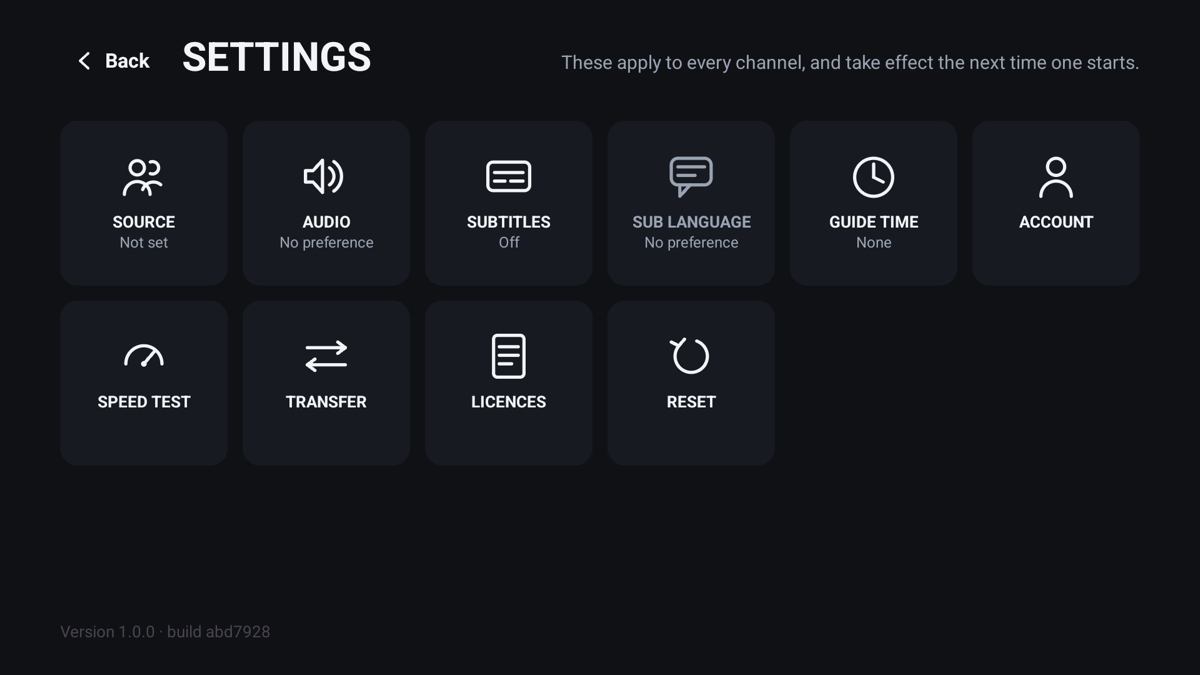
Open Settings → Source
On the television, Settings is the gear on the home screen. On a phone it is in the top bar.
Choose Playlist address
Paste the whole address, including http:// or https://.
Save, and wait
A large playlist takes a minute or two the first time. It is stored on the device, so later starts are immediate.
Guide 2
Add a playlist by server details
If your provider gave you a server address, a username and a password rather than a link.
Settings → Source → Server
Enter the address exactly as given, including the port number if there is one.
Username and password
Both are case-sensitive. This is the commonest reason a source will not load.
Save
Live channels, films and series are imported together, and the programme guide comes with them.
Guide 3
The programme guide
Where it comes from
A server source brings its own guide. For a playlist address, add an XMLTV link under Settings → Guide.
If the times are wrong
Settings → Guide → Time shift moves the whole guide by whole hours. Guides that run in a different time zone are the usual cause.
If it is empty
Some playlists carry no guide at all. Nothing is broken; there is simply nothing to show.
Guide 4
Activating when the trial ends
Google Play build
Activate inside the app. Google Play handles the payment.
Sideloaded build
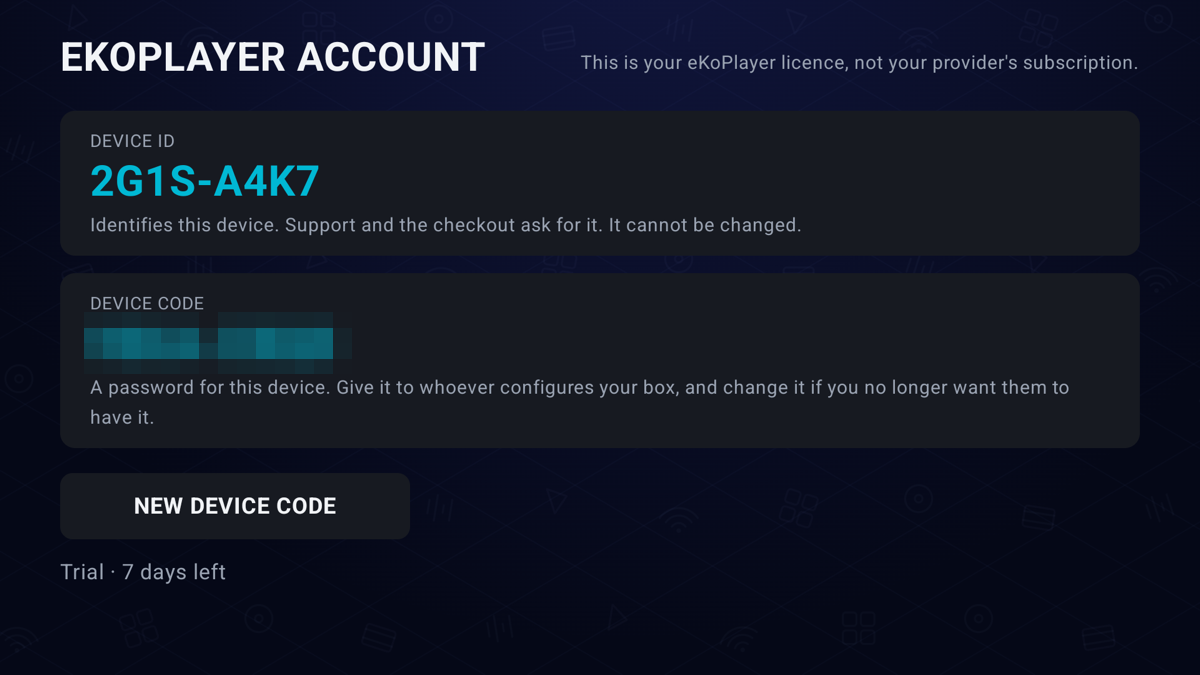
Settings → Account shows a QR code and your Device ID. Scan the code with a phone, or type the ID at ekoplayer.com/activate.
Then leave the screen open
The player picks up its licence within a minute. Nothing to type back in.
I, L,
O or U — if you think you see one it is a 1,
0 or V. The activation page corrects this for you.
Still stuck?
Support lists what to send us so the first reply is a useful one.